How to Build Your First Automated Report on Associum
Writing a report and producing a report are two different things. Most tools help with the first. Associum handles both.
Tell it once what your reports should look like, and every report you generate after that starts from that baseline automatically. This article walks you through producing your first report.
---
Step 1: Go to Report Mode and Set Your Preferences
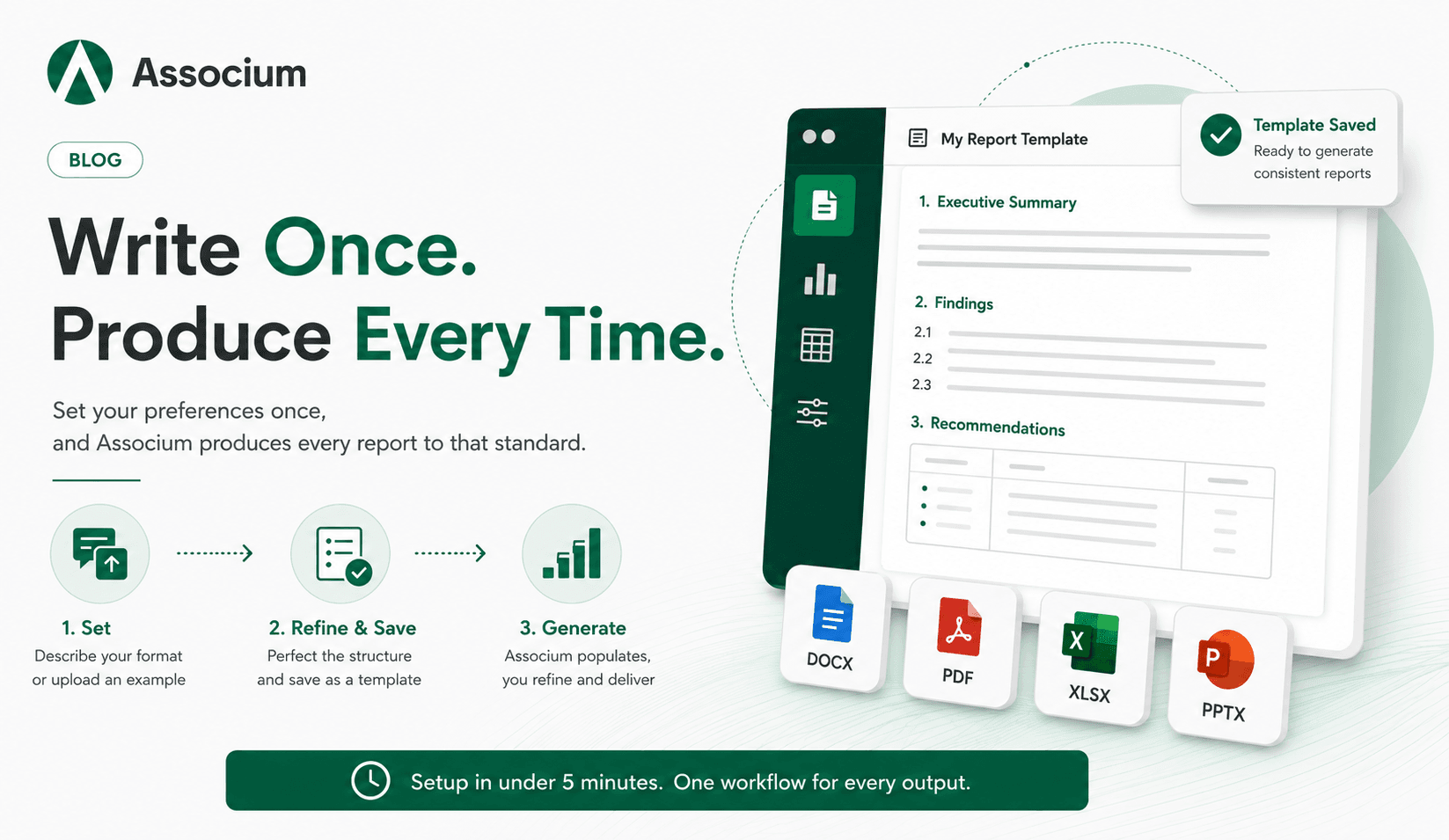
Start by switching to Report Mode in Associum. From there, you have two ways to define your preferences.
The first is to describe your format in plain language. Something like:
"I need a three-section report: an executive summary at the top, a findings section with numbered subsections, and a recommendations section at the end. Keep the tone formal but direct. Cite sources inline with brackets."
The second is to upload an example report you have produced before. Associum reads the structure, infers your preferences, and builds from what it sees. If you have a report that already looks exactly the way you want, this is the fastest path.
You can also combine both. Upload an example and then describe any adjustments you want on top of it.
---
Step 2: Refine and Save Your Template
Before you generate a report, spend a few minutes getting the structure right. Go through the output and push back on anything that does not match how you work.
If the executive summary is too long, say so. If you want the recommendations section to use a table instead of bullet points, ask for it. If the heading style does not match your preferences, tell Associum what you want instead.
Once the structure looks right, save the template. Give it a name that makes sense to you. This is the version Associum will use as the starting point for every future report of this type.
---
Step 3: Generate Your Report
With your preferences saved, you are ready to produce an actual report. Associum pulls in your own data alongside relevant public data to populate the structure. You do not need to manually source and paste content into sections.
Once the first draft is generated, you can refine it interactively. Adjust the formatting, update calculations, swap in different visualizations or infographics, and add your own assets like logos and photos. The process works like editing with a collaborator who has already done the heavy lifting. You are shaping and finishing, not building from scratch.
---
What Associum Remembers
When you save a template, Associum holds onto more than just the layout. It retains:
- Section structure — the order and hierarchy of sections
- Tone and register — formal, technical, executive-facing, or whatever you specified
- Heading style — capitalization, numbering conventions, subheading depth
- Citation format — inline brackets, footnotes, endnotes, source lists
- Output format — whether the deliverable should be a document, a slide deck, a spreadsheet, or something else
If your preferences evolve, you can update the template at any time by describing what to change. No settings menus, no reconfiguration from scratch.
---
A Setup That Takes Under Five Minutes
The entire process from opening Report Mode to saving a finished template takes most users under five minutes. Whether you describe your format in plain language or upload an existing report, there is no configuration UI to navigate. You tell Associum what good looks like, and it builds from there.
---
One Interface, Every Format
The same process works across every type of professional deliverable. If you need an Excel model, a PDF report, or a PowerPoint deck, you follow the same steps: describe your format or upload an example, refine the structure, and save it as a template.
Once the template is saved, Associum generates that deliverable automatically every time you need it. Your Excel models come out with the same structure and calculations. Your decks open with the right layout and branding already in place. Your PDFs follow the same formatting every time.
You are not learning a different tool for each output type. You are applying the same workflow to whatever format the work requires.
--
Associum is an AI associate built for professionals in finance, consulting, and compliance. Try it at associum.ai.